Maybe HR asked you to download it. Maybe your bank requested it. Or maybe you just want to check your salary breakdown, deductions, overtime, or leave credits.
Now imagine it’s already 11 PM. HR isn’t online. You need your payslip now.
This is where the Executive Genesis online payslip system becomes a lifesaver.
I’ve seen many students, young professionals, parents, and even teachers feel confused the first time they use it. The same questions keep coming up:
- “What is Executive Genesis exactly?”
- “Where do I log in?”
- “What password do I use?”
- “Why is the payslip not loading?”
- “What is ExeGen? Are they the same?”
Here’s what matters: once you understand how the system works, getting your payslip becomes as quick as checking your Facebook notifications.
In this guide, I’ll walk you through everything step-by-step slowly, clearly, and with real examples many Filipino employees will relate to.
What Is Executive Genesis?
Before we touch any login button, it helps to understand the system itself.
Executive Genesis (often called ExeGen) is a human resources and payroll management system used by many companies in the Philippines and abroad.
Think of it as a smart HR tool that stores your:
- monthly payslips
- attendance records
- leave credits
- official deductions
- personal info (like contact details)
- company announcements
- schedule, shifts, and job details
It’s a digital HR office one that doesn’t close at 5 PM.
A Quick Fact
Many companies choose Executive Genesis because it reduces paperwork, cuts payroll mistakes, and gives employees 24/7 access to their salary information.
Here’s why employees find it helpful:
- No need to visit HR every month
- Payslip download available anytime
- Clear breakdown of deductions and contributions
- Safe and secure portal
- Easy login access from computer or phone
If you work in BPO, retail, logistics, education, or government-affiliated sectors, chances are your employer uses a system like Executive Genesis.
Where Is Executive Genesis Located?
A common question people ask online is:
Is Executive Genesis a physical place or a software company?
Executive Genesis is actually an HR solutions provider based in the Philippines. Many companies use their software to make payroll and employee management faster.
So when someone asks “Where is Executive Genesis located?”, they usually mean the software provider’s office not your company office.
You don’t need their physical address to get your payslip. Everything is handled online through the company’s HR portal.
What Is ExeGen? Is It the Same as Executive Genesis?
Yes.
ExeGen is simply the short version of Executive Genesis.
It’s like saying:
- Philippines → PH
- Information Technology → IT
- Executive Genesis → ExeGen
Many HR officers use the shorter version in emails or announcements. So don’t get confused they refer to the same system.
How to Access Your Executive Genesis Online Payslip
Let’s make it simple.
Most Executive Genesis portals follow the same layout:
- Login page
- Username field
- Password field
- Dashboard page
- Payslip section
Even if your company customized the portal, these five parts stay the same.
Think of your portal as your personal digital HR folder only you can open it.
Step-by-Step Login Guide
Here’s the path most employees take to view their Executive Genesis payslip.
Step 1: Get the Correct Portal Link
Every company has its own login URL.
Some examples (these are formats, not actual links):
- companyname.executive-genesis.com
- payroll.companyname.com.ph
- exegen.companyname.net
Your HR or employer usually sends the link via:
- Onboarding packet
- Company messenger (Teams, Slack, Viber)
- Printed ID or HR guide
- Employee orientation folder
If you’re unsure, ask HR:
“Hi, may I request the Executive Genesis portal link for payslip access?”
Step 2: Enter Your Username
Most companies use:
- Your Employee ID
- Your company email
- Your registered mobile number
If you’re new, HR will tell you which one your company uses.
Step 3: Enter Your Password
Now this is what confuses many employees the most.
Let’s talk about it clearly.
What Is the Default Password for an Executive Genesis E-Payslip?
Different companies set different formats.
But these are the most common default password patterns:
Pattern A: Birthdate Format
For example:
MMDDYYYY
If your birthday is September 3, 1997 → 09031997
Pattern B: Employee ID + Birthday
Example:
Employee ID: 3462
Birthday: 04021998
Password → 346204021998
Pattern C: Last Name + Numbers
Example:
Lastname: Santos
Password → Santos123
Pattern D: HR-Generated Temporary Password
You receive it via:
- SMS
- Welcome letter
- Company portal instructions
If your login does not work on the first try, don’t panic.
Most portals require you to change your password after your first login for security reasons.
Understanding Your Executive Genesis Payslip
This is the part many employees find confusing.
A payslip isn’t just a “salary paper.”
It’s a complete summary of your work and financial activity for that month.
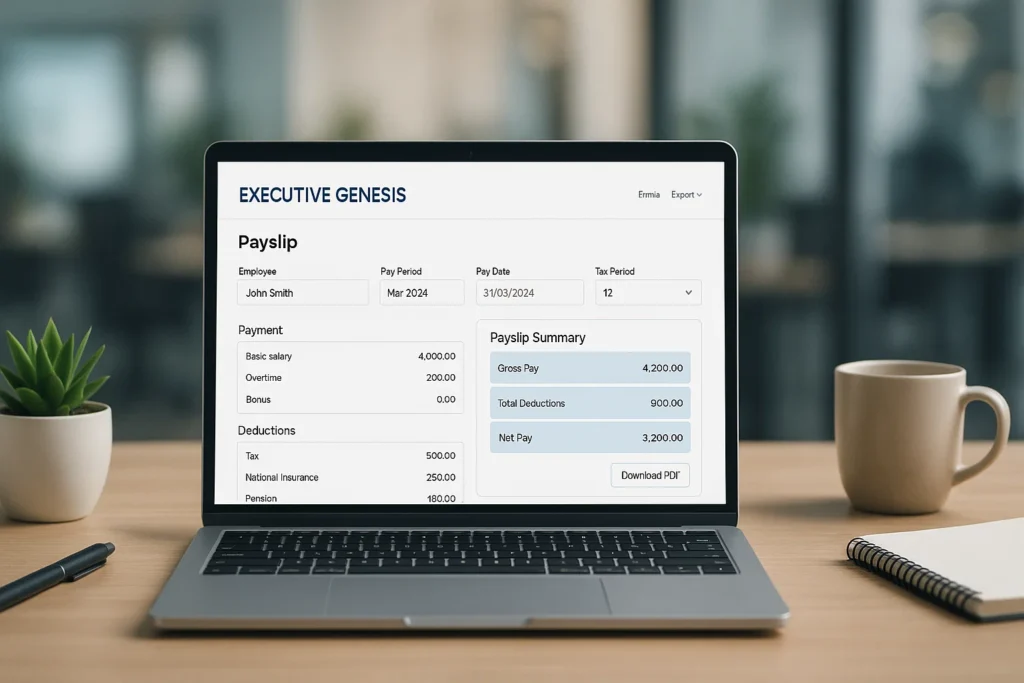
Here is what you usually see inside:
1. Earnings Section
- Basic salary
- Overtime pay
- Holiday pay
- Night differential
- Allowances (meal, transportation, etc.)
- Incentives or bonuses
2. Deductions
- SSS
- PhilHealth
- Pag-IBIG
- Withholding tax
- Company loans
- Absences or late deductions
3. Net Pay
This is what goes into your bank.
4. Leave Credits
- Vacation leave
- Sick leave
- Emergency leave
5. Attendance Summary
Some payslips include:
- Days worked
- Total hours
- Regular, OT, and night shift hours
For many Filipinos, clear payslip details are important for:
- Visa application
- Loan approval
- Renting an apartment
- School requirements
- BIR records
- Employment verification
That’s why online access matters so much.
Why Some Employees Can’t Log In (Common Issues & Solutions)
Even good HR systems have login issues sometimes.
Let me walk you through the problems I hear most often plus how to fix them.
Issue 1: “Invalid Username or Password”
This happens when:
- You typed something incorrectly
- Caps lock is on
- You used the wrong birthdate format
- HR updated your default password
- You’re using the wrong employee ID
Solution
Try the following:
- Double-check username spelling
- Try birthdate in MMDDYYYY
- Try DDMMYYYY
- Try lowercase / uppercase
- Ask HR for the correct formatting
Issue 2: “Account Locked”
Executives Genesis usually locks your account after several wrong attempts.
Solution
Contact HR and request:
“Kindly reset my Executive Genesis account login.”
They can unlock your account in seconds.
Issue 3: Website Not Loading
This is usually caused by:
- Slow internet
- Company server maintenance
- Old browser
- Wrong URL
Solution
- Try Chrome or Edge
- Refresh the page
- Try mobile data instead of WiFi
- Ask HR if the system is down
Issue 4: “Payslip Not Showing”
Often caused by:
- HR hasn’t uploaded the payslip
- You selected the wrong month
- Browser cache issues
Solution
- Check next month’s tab
- Clear browser cache
- Ask HR: “Has the payslip been released?”
How to Download Your Executive Genesis Payslip
Most portals give two download options:
1. PDF Download
Best for printing or emailing.
2. Save to Phone / Computer
Good for personal records.
Steps to Download
- Log in
- Go to “Payslip”
- Choose month
- Click “Download PDF”
- Save the file
Some companies add a “Print Preview” option for easier processing.
Real Story: Miguel’s First Payslip Problem
Miguel is a 21-year-old call center agent from Quezon City.
He joined a new BPO company and received his first paycheck but the bank said they needed a payslip for account verification.
He tried logging in to his Executive Genesis portal:
Invalid Password.
He tried again.
Incorrect Password.
On his third try, his account got locked.
Frustrated, he waited until the next day to call HR.
It turned out that his default password wasn’t his birthday, but instead:
LastName+Last4Digits of Employee ID
No one told him.
Once HR reset his access, everything became easy. Now he checks his payslip every month.
This happens to many new employees and that’s why guides like this exist.
Sometimes you just need simple, clear instructions.
Why Companies Prefer Online Payslips Today
Filipino workplaces are becoming more digital, and Executive Genesis plays a big role. Here’s why companies love it:
1. Faster Payroll Processing
No more printing hundreds of payslips.
2. Fewer Errors
The system auto-calculates:
- taxes
- deductions
- overtime
- benefits
3. Employee Convenience
Workers can:
- check payslips anytime
- update personal info
- view attendance records
- check leave balances
4. Environmental Benefits
No more wasted paper.
5. Secure and Private
Only you can access your data.
As companies grow, digital HR systems like Executive Genesis become essential.
Checklist: What You Need Before Logging In
This quick checklist helps you avoid login problems:
- Employee ID
- Registered email or phone number
- Correct portal link
- Default password pattern
- Updated browser (Chrome recommended)
- Stable internet connection
If you have these six items ready, login becomes simple.
Vocabulary Booster (Liam Brown Style)
Since many of our readers are students or job-seekers, here are some important words you might encounter while exploring the payslip system:
| Word | Meaning |
|---|---|
| Payroll | The company process of calculating your salary. |
| Net Pay | The amount you receive after deductions. |
| Gross Pay | Total earnings before deductions. |
| Withholding Tax | Tax automatically deducted from salary. |
| Contribution | Payments for SSS, PhilHealth, and Pag-IBIG. |
| Portal | Website where employees log in to access information. |
| Credentials | Your login details username + password. |
| HR System | Software used to manage employee records. |
Use these words confidently in interviews or workplace conversations they show professionalism and understanding.
Frequently Asked Questions (FAQ)
1. What is Executive Genesis?
A digital HR and payroll management system used by companies to store and manage payslips, attendance, and personal employee data.
2. How do I get my login details?
HR provides them during onboarding or through email.
3. What is the password for an e-payslip?
Usually your birthday, Employee ID, or HR-generated temporary password.
4. What is ExeGen?
It’s the short form of Executive Genesis same system, different name.
5. How do I download my payslip?
Go to Payslip → Select Month → Download PDF.
6. My account is locked. What should I do?
Request an account reset from your HR officer.
7. Can I access the portal using my phone?
Yes. Most Executive Genesis portals are mobile-friendly.
Quick Troubleshooting Box
| Problem | What to Do |
|---|---|
| Wrong password | Try birthday format or ask HR |
| Locked account | Request reset |
| Payslip missing | HR may not have uploaded it yet |
| Portal not loading | Try another browser / internet |
| Wrong portal link | Confirm with HR |
Practical Tips to Make Payslip Management Easier
Tip 1: Keep a Personal Payslip Folder
Create a folder on your phone or laptop named “Payslips 2025”.
Tip 2: Download Every Month
Don’t wait some portals delete old files.
Tip 3: Track Your Deductions
You’ll understand your finances better.
Tip 4: Save a Screenshot of Your Login Details
Just don’t share it with anyone.
Tip 5: Update Your Password Regularly
For safety and privacy.
Why Understanding Your Payslip Matters
Here’s the bottom line:
Your payslip is proof of your work, your effort, and your growth.
It shows the hours you gave, the skills you used, and the trust your company has in you.
When you understand your Executive Genesis online payslip, you gain confidence:
- You know where your money goes
- You’re aware of your benefits
- You avoid payroll disputes
- You can plan your budget
- You can prepare documents for loans or travel
Understanding your payslip is a life skill every employee needs.
Final Takeaway
You can do this.
You don’t need to be “techy” or “HR-smart” to access your Executive Genesis online payslip. Once you understand how the system works username, password style, portal link, download steps everything becomes easy and stress-free.
Learning how to manage your own salary data is part of growing as a student, worker, or professional. And you’re already on the right track by reading this guide.

Liam Brown guides students in research, thesis writing, and vocabulary. With clear step-by-step advice, he empowers learners to build strong academic and lifelong study skills.